
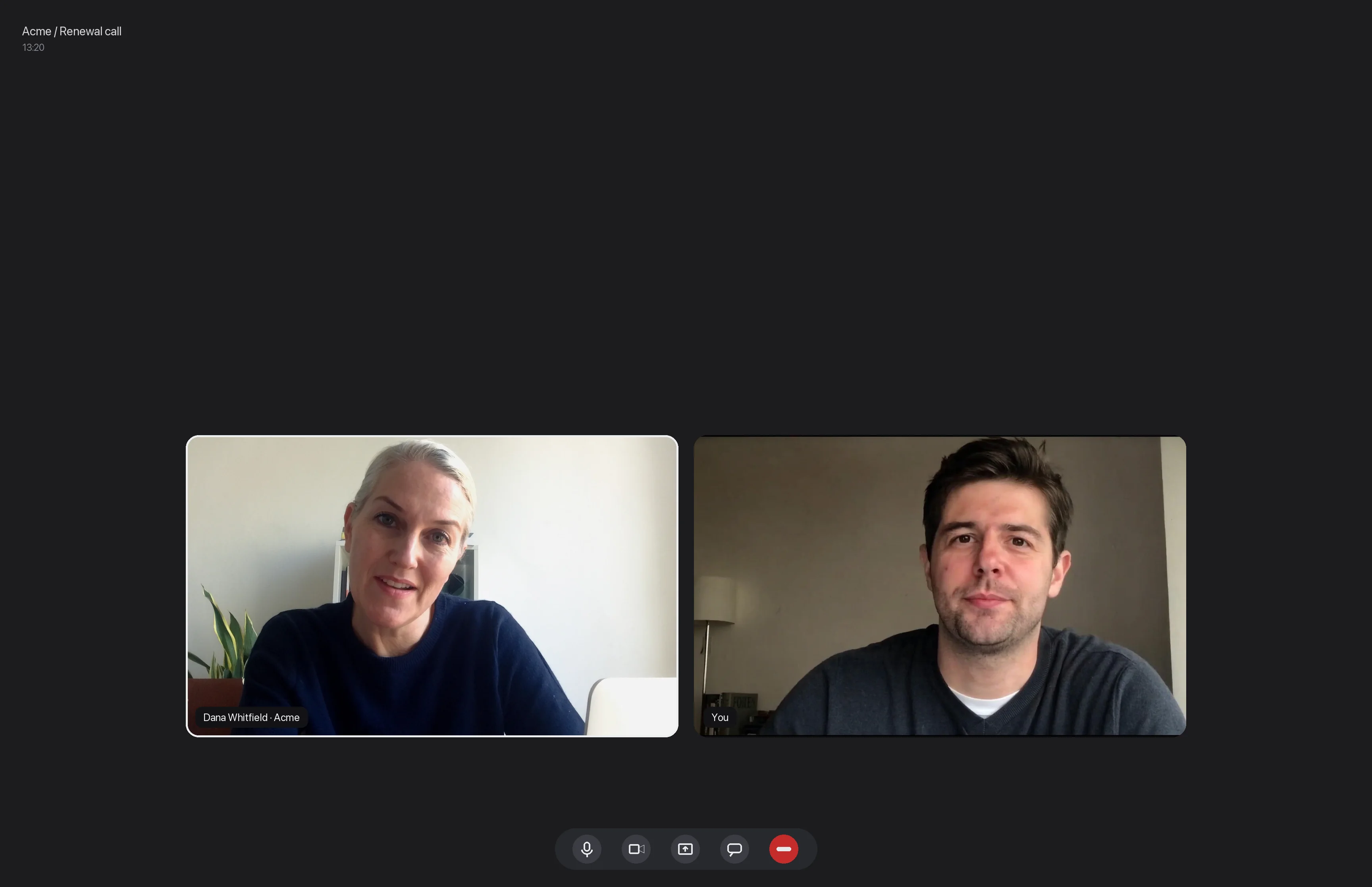
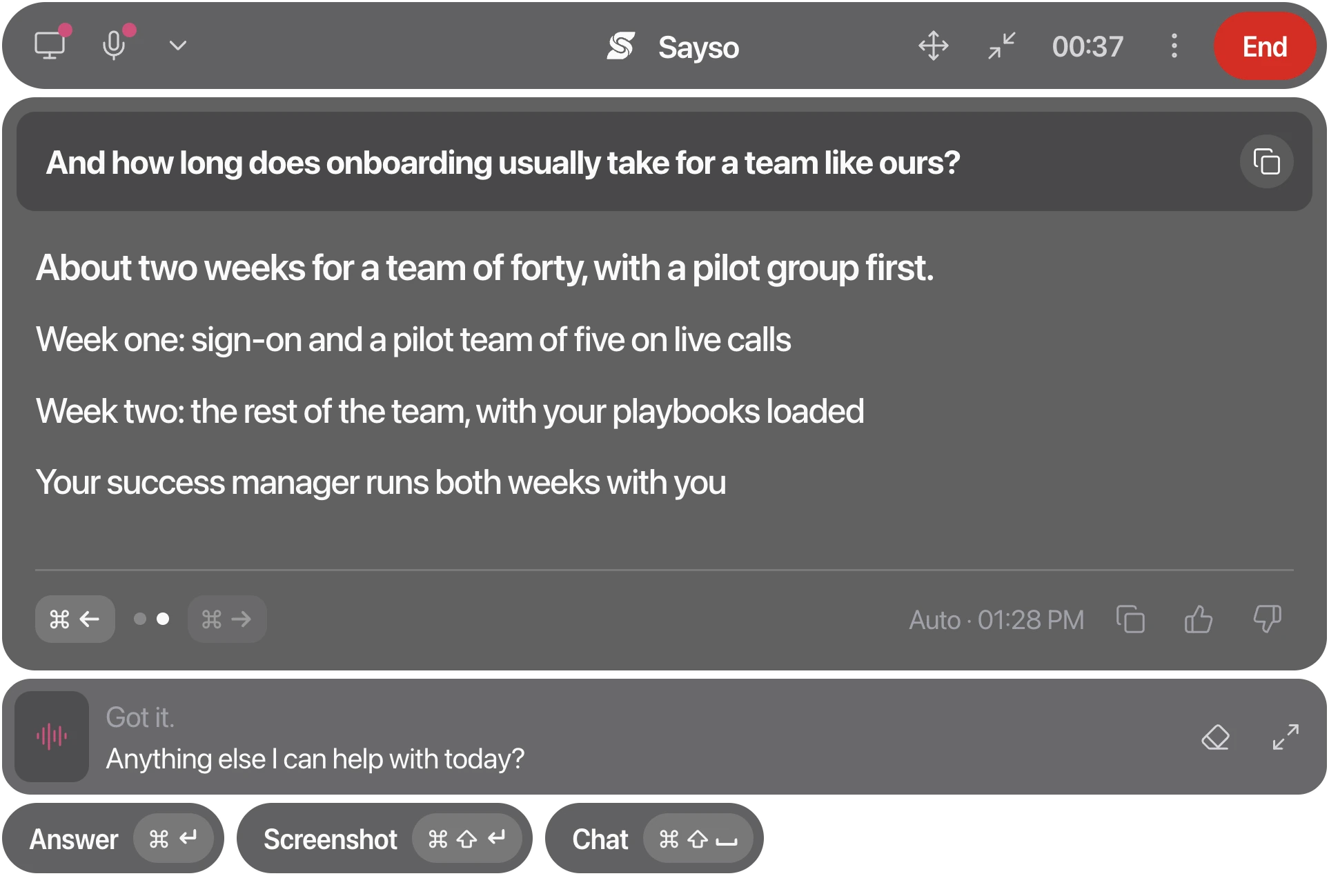
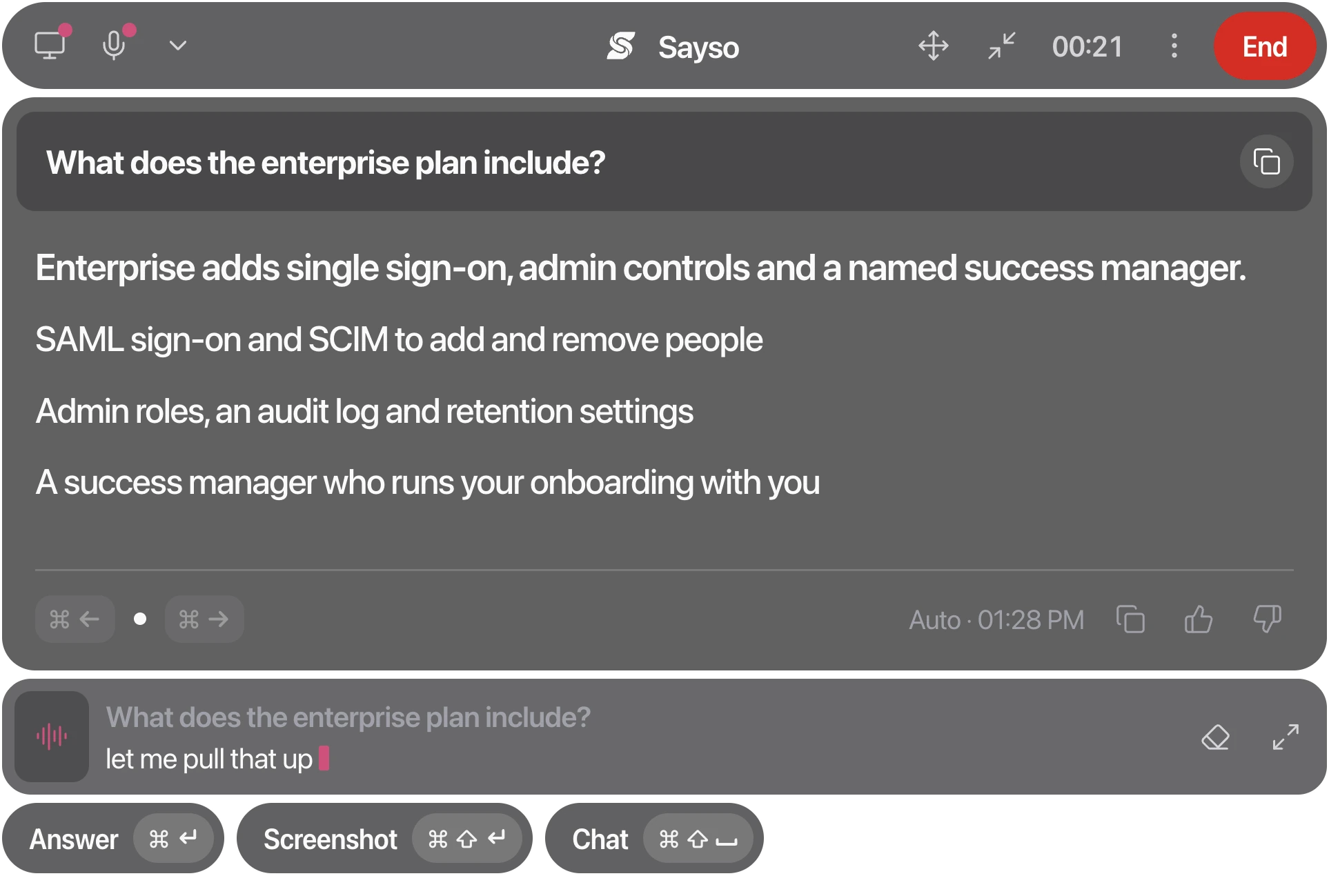
Real-time call copilot

Answers beforethe pause gets awkward.

Sayso listens to both sides of your call and puts the answer on your screen in under a second. Not two. Not four. Under one.

A confirmation now, then one email when it opens. Never shared.

macOS 13+Windows 11No bot joins your call
One turn, end to end

Watch it answer.

Scroll. This is a real renewal call, at the speed it actually runs.

Renewal callLive00:13:20
SM
TranscriptNotesBrief
Listening
Dana
12:04

Can you walk me through the renewal terms again?

Sayso
612 ms

Twelve months, auto-renew, 30-day notice. Same rate unless seats change.

Playbook · §2
Dana
now

Sayso
Saysosuggests0 ms

Price book · row 14Playbook · §4Copy⌘C
Next
Show the band tableQuote the 15% pre-buyAsk who signs
Ask Sayso anything about this call

Recorded on our own stack.

On the call

Hears.

01 / capture

Sayso reads system audio directly, so it hears your customer as clearly as it hears you. No bot in the participant list, no “recording this call” banner, no awkward explanation at the top of the meeting.

Knows.

02 / context

Your playbook, price list and the CRM record for this account load once when the call starts and stay cached for the whole session. That is why answers are specific, and it is half the reason they are fast.

Waits.

03 / surface

A discreet panel that never takes keyboard focus, never moves your cursor, and never appears in a screen share. Your customer sees the call. You see the call and the answer.

Before, during, after

The call is one hour. The work around it is not.

Sayso loads your context before the first hello, answers during, and closes the loop after: notes, follow-up, CRM.

01 / before
Acme / Renewal
Starts in 4 min
Ready
PlaybookEnterprise
Price book2026 · v4
CRMAcme Corp
Cached for the whole call · 8 msStart session

Session prep

Pick the account. Playbook, price list and the CRM record load once and stay cached for the whole call.

02 / during
Sayso684 msHigh

“Yes, 1-hour first response on P1, in the Enterprise tier.”

Playbook · §4Price book

Live answers, cited

Every answer names its source, a playbook section, a price-book row, a CRM field, so you can say it with a straight face.

03 / after

Notes that wrote themselves

Action items, decisions and owners, pulled from what was actually said rather than what you remember.

04 / after

Follow-up, drafted

A send-ready email that quotes the numbers you actually gave, waiting when you hang up.

05 / after

CRM, written back

Fields updated and the next step booked, without the twenty minutes of admin.

06 / always

A library that compounds

Every objection your team hears becomes an answer the whole team gets, next call.

Price vs incumbent18×Security review12×Seat overage7×Data residency5×Renewal terms4×+ new this week
Where the pause costs the most

Built for calls where hesitating costs you.

01Sales · discovery
They ask

How is this different from what we already have?

Discovery call

The competitor section of your playbook, surfaced the moment they name the incumbent.

02Sales · negotiation
Sayso684 ms

Overages bill at the same rate, prorated to the day. Or pre-buy a band at 15% off.

They ask

What if we go over the seat count mid-contract?

Renewal negotiation

Overage terms and band pricing from your price book, prorated the way your finance team wrote it.

03Solutions engineer
They ask

Does it work with our SSO and what about data residency?

Technical deep-dive

The security answers from your docs, verbatim, so you never round a compliance detail.

04Customer success
Sayso684 ms

Twelve seats were added on the 9th, prorated to the day. That is the whole change.

They ask

Why did our invoice change this month?

Escalation call

The account record and the last three touchpoints, on screen before you have to say “let me check”.

05Consulting
They ask

What did you find in the audit, in one sentence?

Client readout

Your own findings and the client’s numbers, loaded from the deck you sent them yesterday.

06Any role
Sayso684 ms

Sent: the notes, three action items and the band table. Two minutes ago.

They ask

Can you send that over after?

The follow-up

Notes, action items and a draft email from what was actually said. Ready when you hang up.

The tool is not there to think for you. It is there so the two seconds you spend remembering a number do not cost you the room.
Why we build for work calls, not exams
Built for
  • Renewal and pricing calls
  • Discovery and demos
  • Support escalations
  • QBRs and exec reviews
Not built for
  • Job interviews
  • Exams and assessments
  • Any call the other side would object to
Works where you already work

Compatibility is a test job, not a promise.

Automated compatibility run: 4 hours ago
Nightly run
Platform
System audioBoth sides heardNo bot joinsNot in screen shareStatus
Zoom
Zoom
Verified
Microsoft Teams
Microsoft Teams
Verified
Google Meet
Google Meet
Verified
Webex
Webex
Verified
Slack Huddles
Slack Huddles
Verified
Amazon Chime
Verified
Integrations
Salesforce
HubSpot
Slack
Notion
Google Calendar
Webhooks
REST API
SSO / SAML
Salesforce
HubSpot
Slack
Notion
Google Calendar
Webhooks
REST API
SSO / SAML

Plugs into the stack you already sell from.

Call platforms in, CRM and notes out. Everything else through webhooks and the REST API.

Zoom
Microsoft Teams
Google Meet
Webex
Slack Huddles
Salesforce
HubSpot
Notion
Slack
6call platforms
4native integrations
plus webhooks, REST API, SSO / SAML
Where it runs

A panel on the desktop. Everything else in the browser.

Reads system audio at the OS level, stays out of screen shares, never takes focus.

macOS
13+ · Apple Silicon and Intel
At launch
Windows
11 · WASAPI loopback
At launch
Web app
Playbooks, seats, billing, audit log
At launch

A synthetic call runs through the real pipeline every hour. Live p50, uptime and per-platform results on /status.

Honestly compared

The category claims speed. Nobody publishes a number.

Competitor figures are the best published or independently reported values we could find. If any of them is wrong, tell us and we will correct it here.

SaysoParakeet AICluelyLockedIn AI
Median time to first token684ms, published2,000 to 4,500ms5 to 10s reportednot published
Live status pageYes
Publishes a latency numberYes
Speech provider failover2, hot111
Discreet panel on every planYesYes$149.99/mo tierYes
CRM write-backYesnonenonenone
Team workspace, SSO, audit logYesnonenonenone
Entry price$29/mo$25 one-off$44.99/mo$29.99/mo
Rule we hold ourselves to: every figure in our own column links to how it is measured.
What your security team will ask

The boring answers, up front.

No audio kept, no training on your data, and a second speech provider standing by. The rest is in the docs.

01 / 030 audio stored

Nothing is kept

Audio is streamed, transcribed and discarded. Transcripts are opt-in per workspace, and your playbook and CRM context are cached for the session only.

02 / 03EU / US

Your region, pinned

Choose EU or US processing per workspace. Speech and model providers are pinned to that region, and the sub-processor list is published and versioned.

03 / 032 providers, hot

It fails over, then it refunds

Two speech providers, hot. If a session still fails technically, it is refunded without you asking and the incident shows on the status page.

SSO, SAML, role permissions and an audit log come with the Team plan. Full detail in the security docs.

Two plans. No stealth tier.

Cluely charges $149.99 a month to stop your overlay showing in a screen share. We think that should be the product, not an upgrade.

Pricing at launch. Nobody is charged during the waitlist.

Personal

$29/month

For one person who takes live calls.

  • Unlimited live calls
  • Own documents and price book
  • Post-call notes and follow-up drafts
  • Discreet panel included

Team

Recommended
$59/seat/month

Everything in Personal, plus the team, integration and compliance story.

  • Shared playbooks and objection library
  • CRM write-back, webhooks, REST API
  • SSO and SAML
  • Retention controls, audit log
Cancel in one click
Credits never expire
Failed session auto-refunds
No separate stealth tier

Questions we get on the first call

Straight answers. Fitting, really.

Anything else, the docs go deeper on the audio pipeline, retention and the API.

No. Sayso reads system audio on your machine, so nothing appears in the participant list and no recording banner is triggered. The other side sees a normal call.

From the moment the other person stops talking to the first word painted on your screen, on a scheduled synthetic call through the real pipeline. The budget: 300ms to detect they finished talking, 8ms to assemble context that was already cached, 350ms for the model's first token, 26ms to paint. Live p50 and p95 are published on /status.

No. The panel is excluded from capture at the OS level, never takes keyboard focus and never moves your cursor. It is part of every plan, not a separate tier.

Speech-to-text fails over to a second provider automatically. If a session still fails, it is refunded without you asking.

Team plan includes SSO and SAML, role-based permissions, retention controls and an audit log of every session and every document read.

No. Nothing from your calls is used for training, by us or by any provider we route to. Audio is discarded after transcription and context is cached for the session only.

Start today

Stop losing the room to a two second pause.

A confirmation now, then one email when it opens. Never shared.

macOS 13+ / Windows 11 / no bot joins your call
  • Nothing to install for your customer

    No bot joins. They see a normal call.

  • Nothing to commit to

    Cancel in one click. Failed sessions refund themselves.

  • Nothing hidden

    Live latency and uptime published on /status.